


Voice search is transforming how users find information online. Optimizing for conversational queries, featured snippets, structured data, mobile performance, FAQ pages, and local SEO increases visibility on voice-enabled devices. By tracking performance and iterating, businesses can capture voice traffic, improve user experience, and stay competitive in a voice-first search landscape.
Voice assistants like Siri, Alexa, and Google Assistant are changing how people find information online. As voice-enabled devices proliferate, websites must adapt to conversational queries and audio-friendly content. Voice search SEO involves tailoring your site and content strategy so that virtual assistants can easily surface your pages when users speak their questions out loud. In this guide, we’ll explore why voice search matters, how it differs from traditional text search, and six actionable strategies to help your site rank in spoken queries. By the end, you’ll have a clear roadmap to optimize your pages for the next frontier of search.
The Rise of Voice Search

Over the past few years, voice search usage has skyrocketed. According to recent studies, more than 50 percent of smartphone users rely on voice assistants for daily tasks such as checking the weather, setting reminders, and finding local businesses. Smart speakers have also become household staples, with global shipments surpassing 200 million units last year. This growth shows no signs of slowing, driven by improved speech recognition, faster internet speeds, and increased consumer comfort with hands-free interaction. For businesses, this trend represents a huge opportunity to connect with audiences in a more natural way—and to capture traffic that might otherwise end up with competing brands. Learn more about Affordable SEO Services.
How Voice Search Differs from Text Search
Voice queries tend to be longer, more conversational, and phrased as questions. Instead of typing “best coffee shop NYC,” a user might ask, “Hey Google, where can I find the best latte near me?” Natural language and local intent dominate voice searches. Additionally, voice results often rely on featured snippets and quick answers rather than long lists of ten blue links. Understanding these differences helps you craft content that matches user intent and aligns with how assistants process and return spoken responses.
Use Conversational, Long-Tail Keywords
In voice search optimization, your keyword strategy should mirror everyday speech. Focus on question-based, long-tail phrases that start with who, what, where, when, why, and how. Tools like AnswerThePublic or the “People also ask” section in Google Search Console can reveal common voice queries. Once you’ve identified high-value questions, naturally integrate them into headings, subheadings, and body text. For example, instead of optimizing solely for “Italian restaurants,” use phrases like “where is the best Italian restaurant near me”. This approach increases the likelihood that a virtual assistant will surface your content when a user asks a spoken question that matches your optimized language.
Optimize for Featured Snippets and Quick Answers
Featured snippets, also known as “position zero,” are prime real estate for voice search results. When an assistant answers a query, it often reads the content of a snippet aloud. To win a featured snippet, structure your content to directly answer common questions in concise paragraphs, lists, or tables. Use headings tagged as <h2> or <h3> to frame each question, followed by a 40–60 word answer that delivers clear value. Bullet points and numbered lists also improve your chances. Regularly monitor Google Search Console to see which queries are generating impressions and clicks as featured snippets, and refine your content accordingly.
Implement Structured Data and Schema Markup

Structured data is a standardized format that helps search engines understand your content contextually, allowing them to display it more effectively in search results and for voice assistants. By adding schema markup—such as FAQPage, HowTo, LocalBusiness, Recipe, Product, or Event—you provide explicit cues about the type of content on your pages. This signals to virtual assistants which parts contain questions and answers, step-by-step instructions, or critical business information.
Use JSON-LD (JavaScript Object Notation for Linked Data) to implement schema within your site’s <head> section. This method embeds structured data without altering the visible content, making it easy to maintain while remaining fully compliant with search engine guidelines.
Properly implemented schema can unlock rich results, including featured snippets, knowledge panels, and enhanced listings, which increase your chances of being read aloud by voice assistants. For example:
-
FAQPage schema allows Google to display common questions and answers directly in search results, making them accessible for voice queries.
-
HowTo schema highlights step-by-step instructions that can be read by assistants, ideal for tutorials, recipes, or DIY guides.
-
LocalBusiness schema helps virtual assistants accurately convey location, hours, and contact information to users performing local voice searches.
Additionally, structured data enhances click-through rates from SERPs by providing rich snippets with visuals, ratings, or event dates. Regularly validate your schema using tools like Google’s Rich Results Test or Schema Markup Validator to ensure proper implementation and troubleshoot errors.
By integrating structured data and schema markup thoughtfully, you make your content more accessible to search engines, voice assistants, and users, ultimately improving visibility, engagement, and conversion potential.
Improve Page Load Speed and Mobile Friendliness
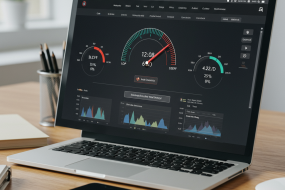
Most voice searches happen on mobile devices, so site performance on smartphones is critical. Google’s Core Web Vitals measure loading speed, interactivity, and visual stability—factors that influence both user experience and search rankings. Optimize images, enable browser caching, and minify CSS and JavaScript to boost page speed. Ensure your design is responsive and touch-friendly. A seamless mobile experience makes it easier for virtual assistants to fetch and present your content swiftly, reducing the risk of user abandonment due to slow or clunky pages.
Create and Optimize FAQ Pages
FAQ pages are a natural fit for voice search because they compile question-and-answer pairs in one place. Identify the most common user questions through customer feedback, search analytics, and social media interactions. Then, format each question as an <h3> heading followed by a direct, concise answer. Use internal links to guide users to more in-depth content on your site. Properly marked up with FAQPage schema, these pages can appear as rich results, serving as quick reference points for voice assistants and driving more organic traffic to your site.
Focus on Local SEO for Voice Queries
More than half of voice searches carry local intent, meaning users are often looking for services, stores, or businesses near their current location with queries like “coffee shop near me,” “pharmacy open now,” or “best Italian restaurant nearby.” Capturing this type of traffic requires a strong local SEO strategy tailored for voice search.
Start by claiming and optimizing your Google Business Profile (GBP). Ensure your business name, address, and phone number (NAP) are accurate and consistent across all online listings, including Google Maps, directories, and social profiles. Inconsistent information can confuse search engines and reduce your chances of appearing in voice search results.
Actively collect and respond to customer reviews, as these play a critical role in local search rankings and influence voice assistants’ recommendations. Positive, recent reviews signal credibility and reliability to both users and search algorithms. Keep your business hours updated, including holiday schedules or temporary closures, so virtual assistants provide accurate information to users.
If your business serves multiple areas, consider creating location-specific landing pages. Each page should include relevant local keywords, service details, and unique content to ensure search engines understand your presence in different regions. Incorporate local schema markup, such as LocalBusiness or Restaurant schema, to help search engines associate your site with precise geographic coordinates. This structured data improves the likelihood that virtual assistants will surface your business when users ask for recommendations nearby.
Finally, include voice-friendly content on your pages by using natural, conversational language that reflects how people speak. For example, instead of simply listing “Italian restaurant,” you might include a phrase like, “Looking for the best Italian restaurant near downtown?” This approach aligns with the way users ask questions in voice search, increasing your chances of appearing in position zero or as the assistant’s spoken answer.
By focusing on these local SEO tactics for voice queries, you enhance your business’s visibility in a growing channel, attract more nearby customers, and ensure users find accurate, helpful information quickly.
Testing and Monitoring Your Voice Search Performance

After implementing voice SEO tactics, it is essential to continuously track your progress to ensure your efforts are yielding the desired results. Start by using Google Search Console, which allows you to monitor impressions, clicks, and the average position of your website for question-based keywords. These insights help you understand which queries are driving traffic and which pages perform best for conversational searches.
Additionally, leverage third-party tools specifically designed to simulate voice queries, such as AnswerThePublic, SEMrush’s Voice Search Tool, or Moz’s keyword analysis features. These platforms provide insights into how your content might be interpreted by virtual assistants like Siri, Alexa, or Google Assistant, helping you anticipate user behavior and refine your strategy accordingly.
To ensure accuracy, conduct real-world testing on devices commonly used for voice search, including smartphones, smart speakers, and tablets. Speak natural, conversational queries and verify that your content is presented correctly and read aloud as intended. This hands-on testing uncovers nuances in phrasing, pronunciation, or snippet selection that automated tools might miss.
Gather user feedback on voice interactions whenever possible. Observing how real users interact with your content through voice can highlight gaps, confusion, or opportunities for improvement that data alone cannot capture.
Finally, establish regular optimization cycles—weekly for tactical updates, monthly for trend analysis, and quarterly for strategic reviews. Regular monitoring ensures that you adapt to evolving voice search algorithms, maintain competitiveness, and continue capturing high-intent voice traffic as this channel grows.
Beyond tool-based analysis, conducting real-world tests on actual devices is crucial. Test your website and content on smartphones, smart speakers, and other voice-enabled devices to verify that your pages are read aloud accurately and naturally. Pay attention to how concise answers are delivered, whether pronunciation is clear, and if the content matches the intent behind the query. Consider testing different phrasings of the same question to see how your content performs across variations in user speech.
Gathering user feedback adds another layer of insight. Encourage real users to interact with your voice-enabled content and note any difficulties they encounter, such as misunderstood queries, incomplete answers, or awkward phrasing. Feedback can reveal gaps that analytics alone may not uncover, allowing you to make content adjustments, clarify responses, or improve your site’s conversational tone.
Finally, establish regular optimization cycles. Voice search algorithms are constantly evolving, as are user behaviors and expectations. Review performance data consistently—weekly for tactical adjustments, monthly for broader trends, and quarterly for strategic improvements. Update content based on observed trends, optimize for new voice query patterns, and refine your structured data or FAQ schema as needed. By combining analytics, real-world testing, and user feedback in a systematic way, you ensure your website remains competitive in the growing and dynamic channel of voice search, ultimately driving higher visibility, engagement, and traffic from spoken queries.
Conclusion and Next Steps
Voice search represents a seismic shift in user behavior and search engine priorities. By adopting a voice-first SEO strategy—incorporating conversational keywords, featured snippet optimization, structured data, and a mobile-friendly design—you position your site to capture a rising tide of spoken queries. Begin by auditing your existing content for voice search opportunities, prioritize high-intent questions, and roll out targeted updates. Regularly monitor performance and stay informed about voice assistant advancements. With consistent effort, you’ll unlock new traffic streams and ensure your brand stays relevant in the age of voice.
Voice Search SEO FAQ
1. What is voice search SEO?
Voice search SEO is the practice of optimizing your website and content so virtual assistants like Siri, Alexa, and Google Assistant can accurately answer spoken queries.
2. How does voice search differ from text search?
Voice searches are more conversational, often phrased as questions, and frequently have local intent. Responses favor featured snippets and concise answers rather than long lists.
3. What are key strategies for voice search optimization?
-
Use conversational, long-tail keywords
-
Optimize for featured snippets and quick answers
-
Implement structured data/schema markup
-
Improve page speed and mobile friendliness
-
Create FAQ pages
-
Focus on local SEO
4. Why are FAQ pages important for voice SEO?
FAQ pages provide concise question-and-answer pairs that virtual assistants can easily read aloud, increasing chances of being selected for voice results.
5. How can I optimize for local voice searches?
Claim and optimize your Google Business Profile, maintain consistent NAP (Name, Address, Phone) information, collect reviews, and create location-specific landing pages with local schema markup.
6. How do I track voice search performance?
Use Google Search Console to monitor impressions, clicks, and average position for question-based keywords. Test content on smart devices and collect user feedback for continuous improvement.
7. What’s the biggest benefit of voice search optimization?
It captures a growing segment of search traffic, improves user experience, and positions your brand for increased visibility in the emerging voice-first search ecosystem.


I am a seasoned mobile marketing strategist dedicated to helping businesses engage customers through innovative, mobile-first campaigns. With expertise in SMS marketing, app optimization, and user engagement, I craft strategies that drive conversions and build lasting customer relationships.













No Comments